

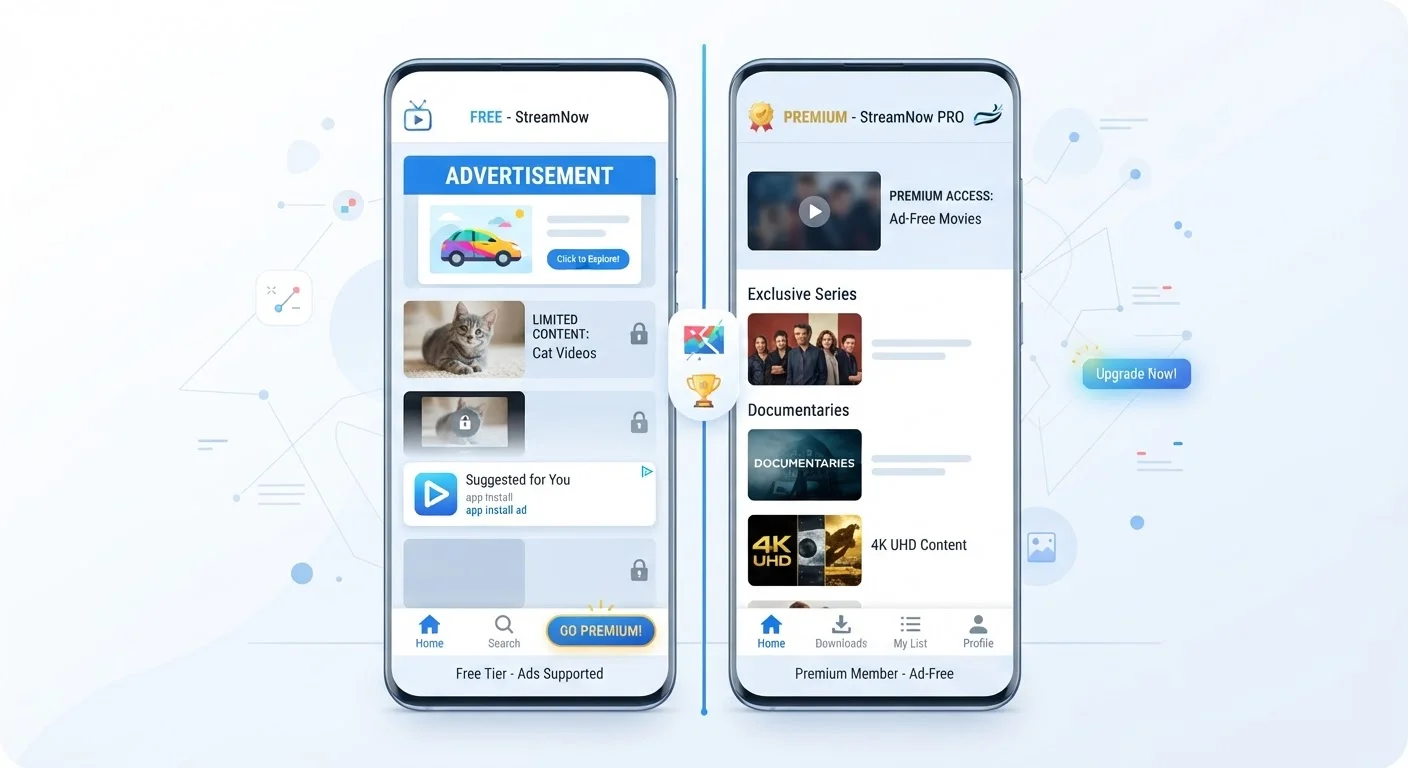
Key Takeaways
Free tiers let you test before committing money
You can evaluate whether an app genuinely fits your needs without any financial risk, which is especially useful for niche tools you're uncertain about.
Paid plans remove ads for a cleaner experience
Ad-free use reduces visual clutter and, in some cases, noticeably speeds up the app — particularly relevant for streaming and productivity tools.
Premium tiers often unlock meaningful productivity features
Features like offline access, advanced export formats, or automation tools can save significant time for people who use an app as part of their regular workflow.
Free versions are genuinely sufficient for many users
A large share of users never need the features locked behind a paywall — the free tier delivers real, lasting value without any upgrade required.
Paid subscriptions may reduce data collection
Some apps reduce or eliminate ad-driven data tracking for paying subscribers, which can be a meaningful privacy benefit depending on the app category.
Subscription costs accumulate quickly across multiple apps
It's common to hold five or more app subscriptions simultaneously without noticing the total monthly outlay, which can run to $50–$100 or more for a typical user.
Free tiers often involve broader data collection
Ad-supported apps typically collect more detailed usage and behavioral data to serve targeted advertising, which is a privacy trade-off many users overlook.
Paid features may not match what marketing implies
"Premium" labeling doesn't guarantee the extra features will be relevant to your actual use case — always review what's specifically included before subscribing.
Subscriptions continue charging even when unused
Unlike a one-time purchase, a subscription that you stop using actively still bills you until you manually cancel, making periodic audits essential.
Free tier limitations may be artificially restrictive
Some apps deliberately cap free tiers at inconvenient thresholds — not because the cost warrants it, but as a conversion tactic designed to nudge you toward upgrading.
Our Verdict
Free app tiers are genuinely useful for light or occasional use, and millions of people never need to upgrade. Paid subscriptions earn their cost when you use an app heavily, rely on it for work, or find the free limitations actively getting in your way. The key is to make the decision consciously rather than defaulting to whatever an app nudges you toward.
Anyone who wants to get real value from their apps without overspending on subscriptions they barely use.
How Free App Tiers Actually Work
When an app is free to download, the company still needs to generate revenue. Understanding how free tiers are structured helps you see what you're genuinely trading away — and what you're not.
Most free tiers fall into one of three models:
- Ad-supported: The app shows you advertisements. Your attention — and sometimes your usage data — is the product being sold to advertisers.
- Freemium: Core features are free, but premium features are locked behind a paywall. The goal is to give you enough to find value, then encourage you to upgrade.
- Trial-based: Full access for a limited time, after which features are restricted or you must subscribe.
None of these models is inherently deceptive, but knowing which one applies to an app helps you evaluate it honestly. Before downloading anything, it's worth doing a quick check — see what to look for before downloading a new app for a practical checklist.
Free tiers let you test before committing money
You can evaluate whether an app genuinely fits your needs without any financial risk, which is especially useful for niche tools you're uncertain about.
Paid plans remove ads for a cleaner experience
Ad-free use reduces visual clutter and, in some cases, noticeably speeds up the app — particularly relevant for streaming and productivity tools.
Premium tiers often unlock meaningful productivity features
Features like offline access, advanced export formats, or automation tools can save significant time for people who use an app as part of their regular workflow.
Free versions are genuinely sufficient for many users
A large share of users never need the features locked behind a paywall — the free tier delivers real, lasting value without any upgrade required.
Paid subscriptions may reduce data collection
Some apps reduce or eliminate ad-driven data tracking for paying subscribers, which can be a meaningful privacy benefit depending on the app category.
What You Gain — and Give Up — With a Paid Plan
Paid subscriptions typically promise an improved experience, but the actual benefits vary widely depending on the app category. Here's what upgrades commonly include — and the caveats worth knowing.
What paid plans commonly offer:
- No advertising, which can meaningfully improve both the experience and load times
- Higher storage, usage quotas, or file size limits
- Access to advanced tools (offline mode, export options, collaboration features)
- Priority customer support
- Stronger privacy controls or reduced data sharing
On the privacy point specifically: free tiers often involve broader data collection to support ad targeting. If you want to understand what an app is actually accessing on your device, learn what app permissions really mean breaks it down clearly.
Subscription costs accumulate quickly across multiple apps
It's common to hold five or more app subscriptions simultaneously without noticing the total monthly outlay, which can run to $50–$100 or more for a typical user.
Free tiers often involve broader data collection
Ad-supported apps typically collect more detailed usage and behavioral data to serve targeted advertising, which is a privacy trade-off many users overlook.
Paid features may not match what marketing implies
"Premium" labeling doesn't guarantee the extra features will be relevant to your actual use case — always review what's specifically included before subscribing.
Subscriptions continue charging even when unused
Unlike a one-time purchase, a subscription that you stop using actively still bills you until you manually cancel, making periodic audits essential.
Free tier limitations may be artificially restrictive
Some apps deliberately cap free tiers at inconvenient thresholds — not because the cost warrants it, but as a conversion tactic designed to nudge you toward upgrading.
One important reality check: a paid subscription does not automatically mean better privacy. Always read the privacy policy, not just the marketing copy.
How to Decide If Upgrading Is Worth It
The most useful question isn't "is the paid version better?" — it usually is, at least in some ways. The real question is: does the paid version solve a problem you actually have?
Work through this logic before committing to any recurring charge:
- Do you hit the free limits regularly? If you're constantly bumping into storage caps or feature locks, upgrading has clear value. If you rarely reach those limits, the free tier is probably fine.
- Is the app central to your daily routine or work? Tools you depend on professionally often justify a subscription. Casual-use apps rarely do.
- What does it cost annually, not monthly? A $4.99/month app costs roughly $60 a year. Add up your subscriptions and you may be surprised — this connects directly to smart budgeting habits that help you track recurring expenses.
- Is there a meaningful free alternative? Competition between apps is real. A different app may offer what you need at no cost.
71%
Consumers who underestimate monthly subscription spending
Research by C+R Research found that a significant majority of consumers underestimate how much they spend on subscriptions each month.
$219/month
Average American's estimated subscription spending
A C+R Research survey estimated the average American spends roughly this amount across all digital subscriptions, often without realizing the total.
If you do subscribe, set a calendar reminder to review the value every six months. Subscriptions are easy to forget and continue charging long after you've stopped using an app regularly.
For a broader look at how similar trade-off thinking applies to big financial decisions, the comparison of budgeting tracking methods offers a useful parallel framework.