

Key Takeaways
Our Verdict
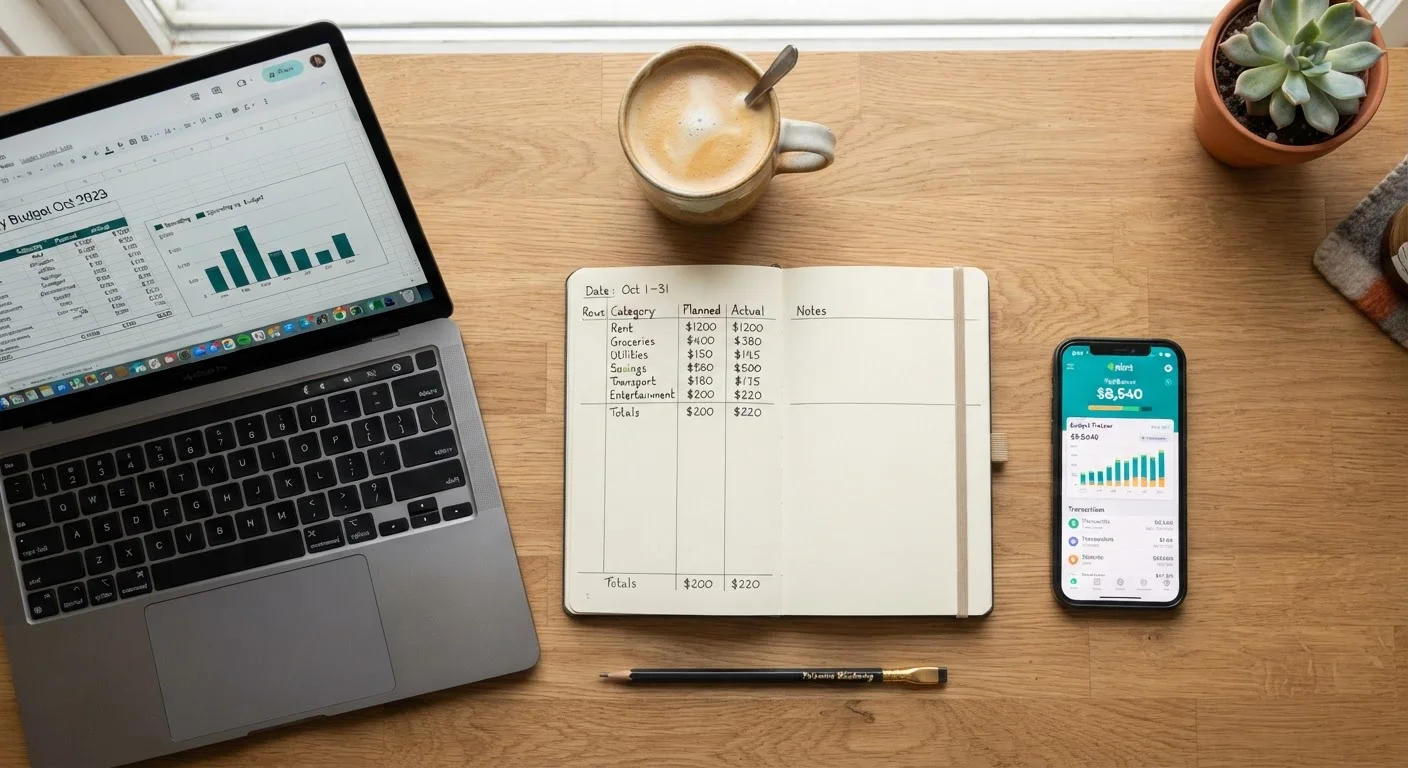
No single tracking method is objectively superior — each makes different trade-offs around effort, cost, and features. Paper works best for those who want simplicity and zero technology dependence. Spreadsheets hit a sweet spot for detail-oriented people comfortable with basic software. Apps deliver the most automation but ask for data access and often a monthly fee in return.
| Best for | Recommended |
|---|---|
| Those who prefer simplicity and no screen time | Paper Ledger |
| Detail-oriented users who want custom control | Spreadsheet |
| Busy households wanting automated transaction tracking | Budgeting App |
| Couples managing shared finances with shared access | Spreadsheet or Budgeting App |
Why Your Tracking Method Matters More Than Your Budget Formula
Choosing a budgeting framework — like the approaches compared in zero-based vs. 50/30/20 methods — is only half the puzzle. The other half is how you actually record and review your spending. A perfect budget on paper means little if tracking it feels like a chore you abandon by week two.
Each of the three main tracking formats — handwritten ledger, digital spreadsheet, and dedicated budgeting app — suits a different kind of person. Understanding the genuine trade-offs helps you pick the tool you'll use, not just the one that sounds most organized.
| Paper Ledger | Spreadsheet | Budgeting App | |
|---|---|---|---|
| Cost | Notebook only, essentially free | Free to low cost | Free tier or paid subscription |
| Setup effort | Minimal — start immediately | Moderate — build or find template | Low — account linking required |
| Transaction entry | Fully manual | Fully manual | Automatic or manual |
| Customization | Unlimited but labor-intensive | High with formulas and charts | Limited to app's structure |
| Privacy | Fully offline and private | Private if stored locally | Data shared with third party |
| Best for | Simplicity and mindfulness | Detail and flexibility | Automation and convenience |
Paper Ledger: Low Tech, High Intentionality
Writing down every transaction by hand is the oldest budgeting method, and it still has real merit. The physical act of recording a purchase reinforces awareness in a way that automatic syncing does not. Studies in behavioral economics suggest that manual recording creates a friction that can naturally slow impulse spending.
Advantages: Zero cost, no internet required, no privacy concerns, and works anywhere. If you prefer keeping finances completely offline, a ledger is hard to beat.
Drawbacks: Math errors are common without a calculator, there's no historical search function, and carrying a notebook consistently takes discipline. Spotting trends across months requires manually flipping back through pages.
Start Simple, Then Add Complexity
If you're new to tracking, resist the urge to build an elaborate system on day one. A basic paper ledger or a single-tab spreadsheet with income and expense columns is enough to start. You can layer in categories, charts, or apps once the habit of recording is already established — complexity added too early is one of the most common reasons people quit.
A paper ledger pairs naturally with the envelope budgeting concept — if that appeals to you, see how the envelope method translates to modern habits.
Spreadsheet: The Middle Ground for Control Seekers
A budgeting spreadsheet — built in a tool like Google Sheets or Excel — offers the intentionality of manual entry with added power: automatic totals, color-coded categories, and charts that reveal patterns at a glance. You design the layout, so it adapts to your exact situation rather than forcing you into a preset structure.
Advantages: Highly customizable, formulas eliminate manual math, shareable with a partner, and free (or low cost). For couples managing shared finances, a shared spreadsheet is a practical starting point — see budgeting approaches for couples for how that might work.
Drawbacks: Building a useful template takes upfront time. If spreadsheets feel intimidating, this beginner-friendly spreadsheet guide can lower the barrier. Transactions still need to be entered manually, and there's no mobile app experience unless you use a cloud-based tool.
Budgeting App: Automation at a Cost
Dedicated budgeting apps connect directly to your bank and credit accounts, pulling in transactions automatically and categorizing them in real time. For people with complex finances or limited time, that automation is genuinely valuable.
Advantages: Transactions appear without manual entry, alerts flag overspending, and many apps provide spending breakdowns and goal tracking. Some offer free tiers, though feature-rich versions typically require a subscription — worth understanding before committing, as covered in what free vs. paid app tiers actually include.
Drawbacks: Connecting financial accounts means sharing sensitive data with a third party. Auto-categorization makes mistakes that require correction. And because spending flows in passively, some users find they glance at reports without truly engaging with the numbers — losing the mindfulness that makes budgeting effective.
Auto-Sync Doesn't Mean Auto-Awareness
A budgeting app that pulls in transactions automatically can give a false sense of control. If you're not regularly reviewing the data, you may still be overspending without noticing. Set a weekly 10-minute check-in as a non-negotiable habit, regardless of which tool you use. Automation handles data collection — the thinking still has to be yours.
Whatever app you use, run a monthly budget audit to catch miscategorized transactions and ensure your actual habits still match your plan.
How to Choose Based on Your Real Situation
Ask yourself three questions before deciding:
- How tech-comfortable am I? If software frustrates you, a paper ledger or basic spreadsheet is more sustainable than a feature-heavy app.
- How much does privacy matter? If linking bank credentials to a third-party service feels uncomfortable, paper or a local spreadsheet keeps your data entirely in your control.
- How busy is my daily life? Manual methods require daily or weekly discipline. If you know you won't sit down to record transactions, an app's automatic sync may be the only approach that captures complete data.
There's also no rule against combining methods — many people use an app for day-to-day tracking and a spreadsheet for monthly review. The goal isn't methodological purity; it's accurate, consistent visibility into where your money goes.
This article is for general informational and educational purposes only and does not constitute personalized financial advice. Consider consulting a qualified financial professional for guidance tailored to your specific situation.