

Key Takeaways
Option A
Bluetooth
The short-range personal connector.
Best for: Linking two nearby devices directly — like a phone to headphones, a keyboard, or a car audio system.
Option B
Wi-Fi
The high-speed network gateway.
Best for: Connecting devices to the internet or a shared home network through a router.
If you want to connect wireless headphones, a speaker, or a keyboard
Bluetooth
Bluetooth is purpose-built for short-range, direct device pairing. It uses minimal power and requires no router or network setup.
If you want to stream video, browse the web, or run video calls
Wi-Fi
Wi-Fi delivers the high-speed, high-bandwidth connection that internet-dependent tasks demand — far beyond what Bluetooth can handle.
If you're setting up a smart home device like a thermostat or smart bulb
Wi-Fi
Most smart home devices rely on Wi-Fi to communicate with cloud services and apps, enabling remote control from anywhere.
If you need to share files between two phones or pair a fitness tracker
Bluetooth
For direct, cable-free transfers between nearby devices, Bluetooth handles the job without needing any network infrastructure at all.
What Each Technology Actually Does
Bluetooth and Wi-Fi are both radio-based wireless technologies, but they were designed with completely different goals in mind. Thinking of them as competitors is a common misconception — in reality, your phone or laptop almost certainly uses both at the same time, each for a specific purpose.
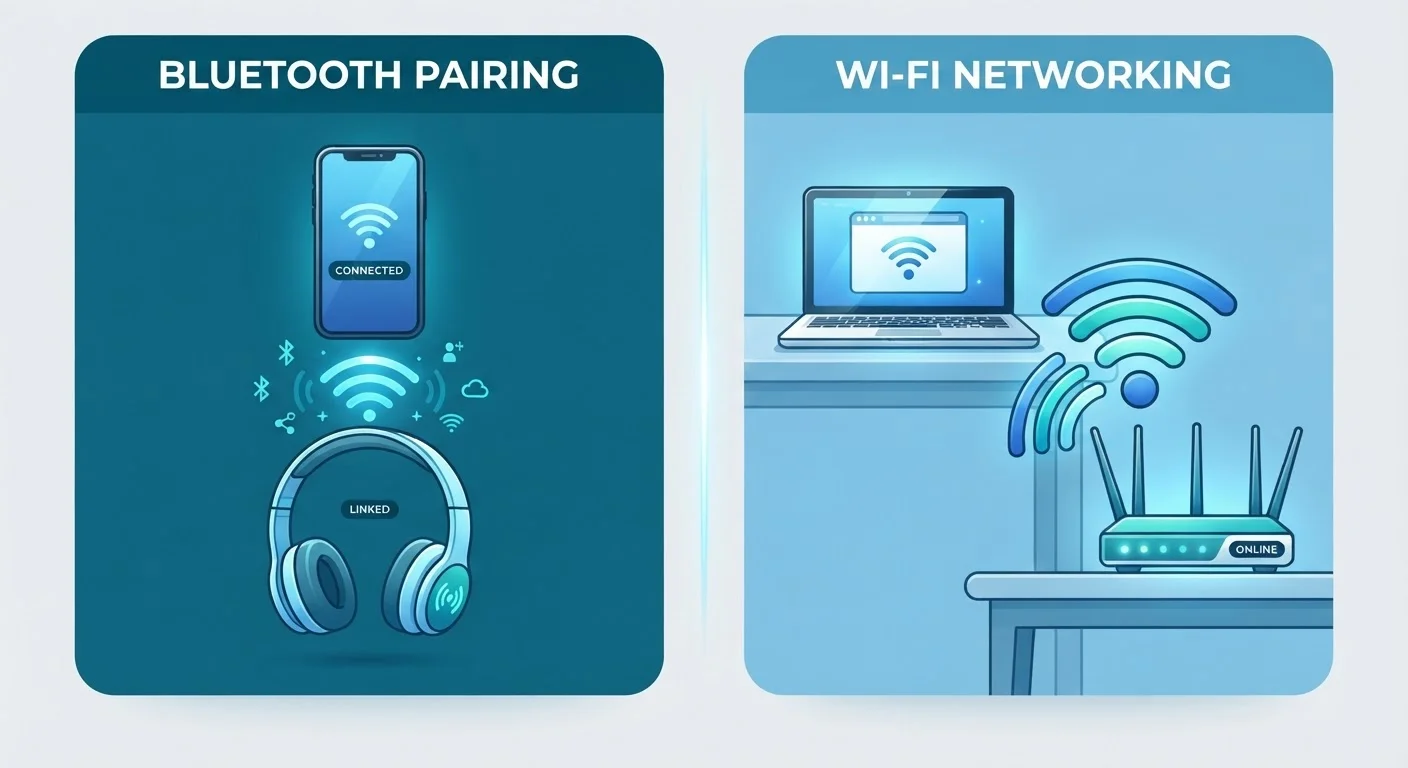
Bluetooth creates a direct, private connection between two nearby devices. When you pair your phone with a wireless speaker, no router or internet connection is involved — the two devices communicate with each other directly using short-range radio signals. This is sometimes called a PAN, or personal area network.
Wi-Fi, on the other hand, connects your device to a router, which then connects to the broader internet. It's a network technology, not a point-to-point cable replacement. When your laptop streams a video or your phone loads a website, that traffic flows through your Wi-Fi connection to a router, through your internet service, and out to the web.
Understanding this core distinction — direct link vs. network gateway — makes everything else about these two technologies easier to understand.
| Criterion | Bluetooth | Wi-Fi |
|---|---|---|
| Primary purpose | Direct device-to-device link | Network and internet access |
| Typical range | Up to ~30 feet | Hundreds of feet (varies by router) |
| Data speed | Low to moderate (audio, small files) | High (streaming, downloads, calls) |
| Power use | Very low | Higher |
| Requires a router? | No | Yes |
| Common uses | Earbuds, keyboards, fitness trackers | Streaming, browsing, smart home |
| Connection type | Paired (device to device) | Networked (device to router) |
Range, Speed, and Power: Where They Differ Most
The differences between Bluetooth and Wi-Fi go beyond their purposes. Their technical characteristics are shaped by those purposes in meaningful ways.
Range: Standard Bluetooth (often called Bluetooth Classic or the more modern Bluetooth Low Energy) typically works reliably within 30 feet. Walk too far from your paired device and the connection weakens. Wi-Fi routers, particularly modern ones running Wi-Fi 6 or Wi-Fi 5, can cover an entire home and often reach hundreds of feet in open spaces.
Speed: Bluetooth data transfer rates are measured in megabits per second and are generally sufficient for audio and small files — but not much more. Wi-Fi connections commonly run at hundreds of megabits or even multiple gigabits per second, which is why you use Wi-Fi — not Bluetooth — to stream 4K video.
Power consumption: Bluetooth uses significantly less energy than Wi-Fi. This is why wireless earbuds, fitness trackers, and smartwatches run on tiny batteries for hours or days. Bluetooth Low Energy (BLE), a variant introduced in 2010, pushes this even further — some BLE devices run for months on a coin cell battery.
~30 ft
Typical reliable Bluetooth range
Standard Bluetooth connections weaken significantly beyond approximately 30 feet, though the exact figure varies by device class and environment.
100x+
Wi-Fi speed advantage over Bluetooth
Modern Wi-Fi standards routinely deliver speeds hundreds of times greater than Bluetooth's maximum throughput, enabling high-definition streaming and large file transfers.
Months
Battery life on Bluetooth Low Energy devices
Devices using Bluetooth Low Energy — such as fitness bands and beacons — can run for months on small batteries due to extremely low power draw.
For a deeper look at how Wi-Fi stacks up against cellular connectivity, see our article on Wi-Fi vs. mobile data.
Everyday Scenarios: Which One Is Working Right Now?
Most people use Bluetooth and Wi-Fi simultaneously throughout the day without realizing it. Here's how each tends to show up in real life:
- Playing music through wireless earbuds: Bluetooth. Your phone and earbuds talk directly to each other.
- Loading a webpage or streaming a show: Wi-Fi. Your device connects to your router, then out to the internet.
- Connecting a wireless mouse or keyboard to a laptop: Bluetooth. No network needed.
- A smart home device receiving a command from your phone across town: Wi-Fi. The command travels through the internet to your home router, then to the device.
- Sending a contact card from one phone to another nearby phone: Bluetooth or NFC, depending on the phones.
It's also worth knowing that some technologies layer both: Apple's AirDrop, for example, uses Bluetooth to discover nearby devices and then switches to Wi-Fi for the actual file transfer — using each radio for what it does best.
If you're also curious about how your devices handle messaging protocols wirelessly, our breakdown of SMS, iMessage, WhatsApp, and RCS explains the differences clearly.
Security Considerations Worth Knowing
Both technologies carry their own security considerations, though neither should cause undue concern in typical everyday use.
With Bluetooth, the main risks relate to proximity. An attacker generally needs to be physically close to exploit a Bluetooth vulnerability. Keeping your device's software updated and avoiding pairing requests from unknown devices covers most practical risk for most people.
With Wi-Fi, the risks are more varied — particularly on public networks. Home networks protected with WPA3 or WPA2 encryption are substantially more secure than open public networks. For a clear-eyed look at what's actually risky on public Wi-Fi, see our guide on public Wi-Fi risks.
For both technologies, the practical rule is the same: keep your device software up to date, avoid connecting to unfamiliar networks or accepting unexpected pairing requests, and use strong passwords on your home router. These habits address the vast majority of everyday risk without requiring any deep technical knowledge.